
Collaboration
How multiple people and agents work on the same Droplet: private drafts, automatic merging of concurrent edits, and publish-when-ready.
A Droplet is rarely the work of one person in one sitting. A board memo gets refined by three people. A team dashboard gets refreshed by an agent every morning. A sprint review gets polished by the PM, the tech lead, and their agents at the same time. The trouble is what happens when two of those edits land at once.
Drop handles that so you don't have to coordinate it by hand. Drafts let you iterate in private, and when edits do collide, Drop merges them instead of letting the last save win.
Drafts are private
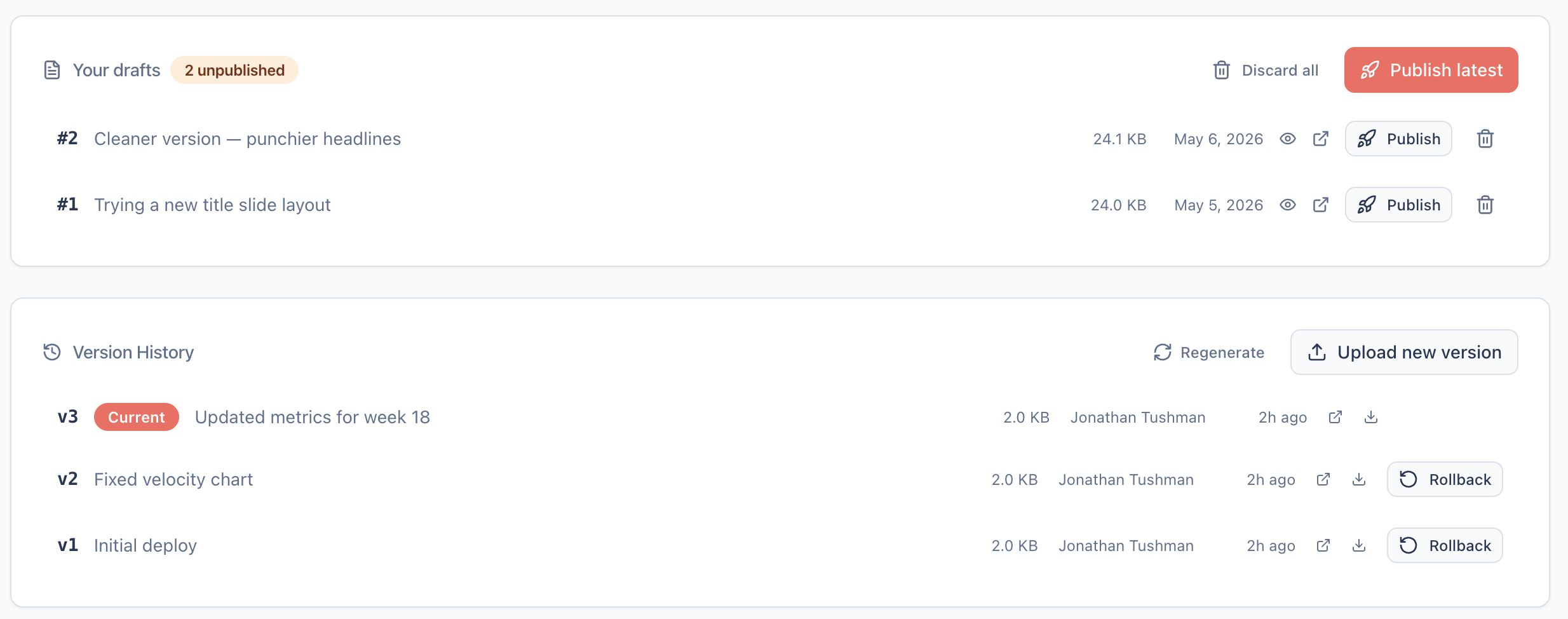
Every Droplet you can edit gives you a personal draft workspace. The --draft flag works on drop create, drop update, and drop patch; it saves your work there instead of publishing. The public URL keeps serving the version that's already live.
Your drafts are yours alone. Other editors can't see them or publish them. That's deliberate. Drafting is the time when work isn't ready for review, and if a co-editor could watch your half-finished slide deck, you'd both feel a pressure that defeats the point of a scratch space. Drafting is for thinking, not collaborating.
You can keep several drafts at once, which is useful for checkpointing when v2 turns out better than v3. The privacy invariant runs through a single chokepoint, lib/drafts.ts; no other read path can hand one editor's drafts to another.
Publish when ready
drop publish promotes one of your drafts to a new live version in a single atomic step. The other drafts in that workspace are discarded along with it, so one publish means one new version in the history. It behaves like a squash-merge, with the branch hidden behind the workflow so you never have to manage it.
The published URL stays stable until you publish. Edits pile up as drafts, and the link you pasted in Slack doesn't shift under whoever is reading it. Auto-syncing every save straight to the public URL is the anti-pattern here: a shared link should never change mid-edit.
Concurrent edits merge automatically
When two edits land close together, Drop doesn't just let the last save win:
- Different sections (one agent updates the header, another the footer): both changes land, and Drop merges them for you.
- The same section (both edited the same paragraph): Drop stops and shows you the conflict instead of silently overwriting, and you decide what to keep.
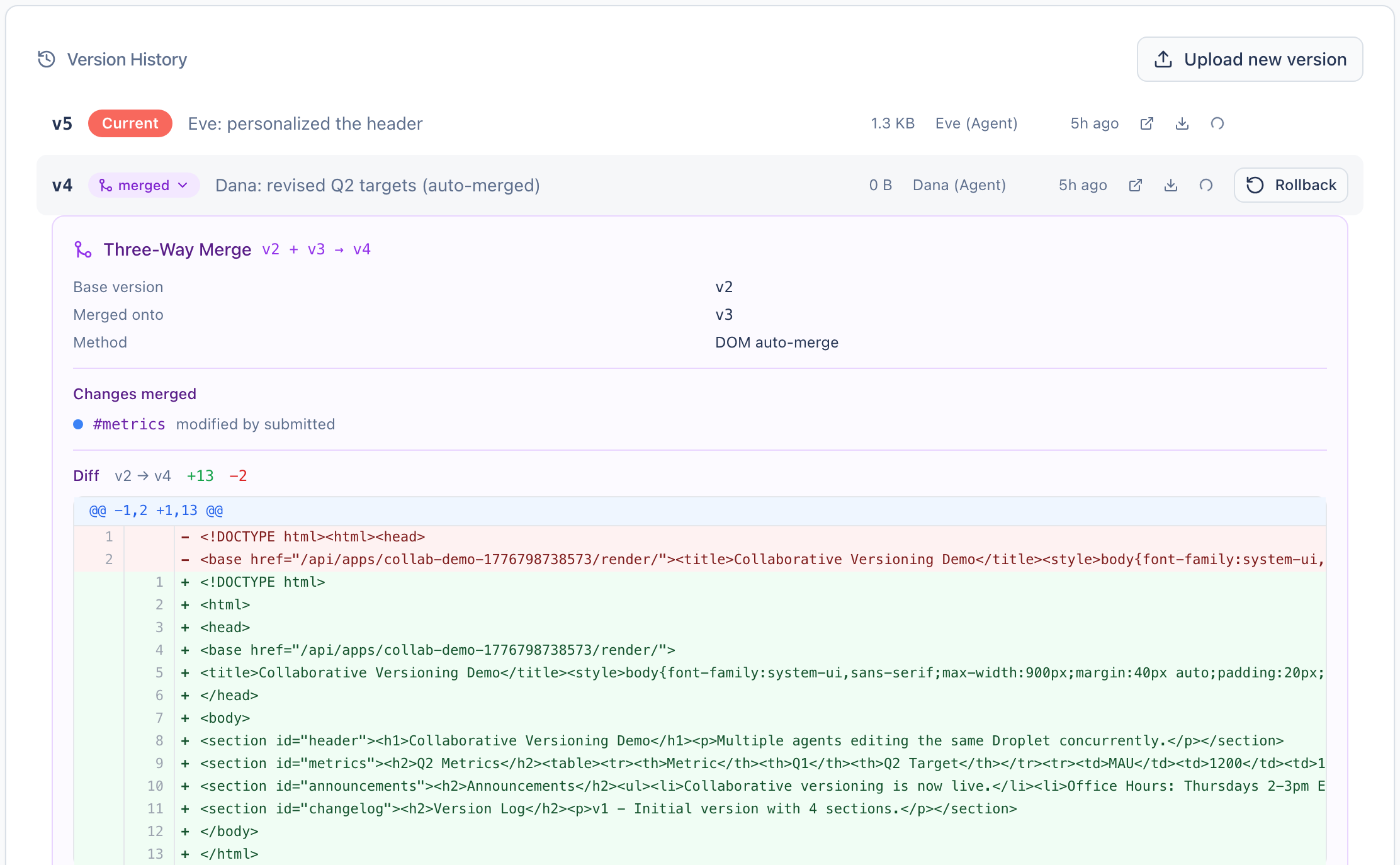
Every deploy carries the version it started from. If someone published in between, Drop catches the mismatch, reads both versions, and merges at the DOM level: it matches elements by id or position and composes the non-overlapping changes. HTML is structured, so two agents editing adjacent lines in different <section> elements aren't the conflict a line-based diff would call them.
When a merge happens, the version history shows a purple merged badge. Expand it for the three-way diff: which version each editor started from, and how the changes combined. It's there for the curious. You never have to open it for things to work.
Why it works this way
Drop is built for agents first. The design question wasn't how to give humans multiple cursors in a shared editor; that's Google Docs' problem. It was what happens when agents collaborate.
Agents don't sit in an editor watching each other's cursors. They fetch a document, transform it, and deploy the result. The collision window is the gap between fetch and deploy, seconds to minutes, and agents are good at retrying. So instead of real-time collaboration machinery (WebSockets, CRDTs, presence indicators), Drop detects conflicts at deploy time and merges when it can. That's far less to build, and it matches how agents work.
Take a Droplet offline
drop unpublish makes a Droplet's URL serve an "unavailable" placeholder while keeping its full version history. drop republish restores it. Both are useful for stale dashboards or killed initiatives you want to walk back without deleting. A brand-new Droplet created with --draft serves a "not yet published" placeholder until its first publish, so you can hand out a URL before there's anything live behind it.
Operations
List your drafts
List the drafts in your workspace on a Droplet. Drafts are private to you: co-editors never appear in this list, and the call returns 404 (not 403) if you lack edit rights, so a caller can't even tell whether a private Droplet exists.
drop drafts sprint-review
#   #  CREATED              SIZE     NOTES
#   1  2026-05-06 10:00     24 KB    WIP: redo metrics
#   2  2026-05-06 10:30     25 KB
Publish a draft
Promote one of your drafts to a new published version. Squashes any sibling drafts in your workspace: only the chosen draft survives. With no draftId, publishes the latest. Owner/editor only.
# Publish the latest draft
drop publish sprint-review

# Or pick a specific draft by its short id
drop publish sprint-review 1
# ✓ Published v8 of sprint-review (squashed 1 sibling draft)
Unpublish
Take a published Droplet offline. The public URL serves an "unavailable" placeholder while the version history is preserved, so republish can bring back the exact same version. Drafts are unaffected. Owner/editor only.
drop unpublish old-dashboardRepublish
Restore a previously-unpublished Droplet to its live URL. Idempotent on Droplets that are already published. Owner/editor only.
drop republish old-dashboard